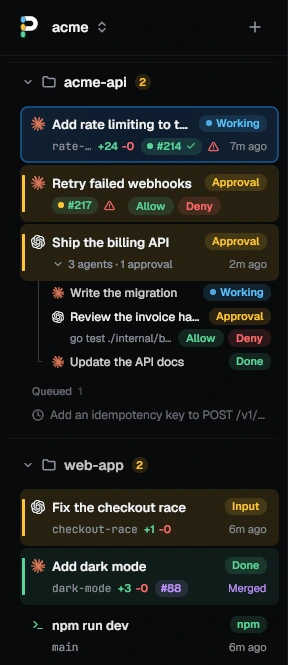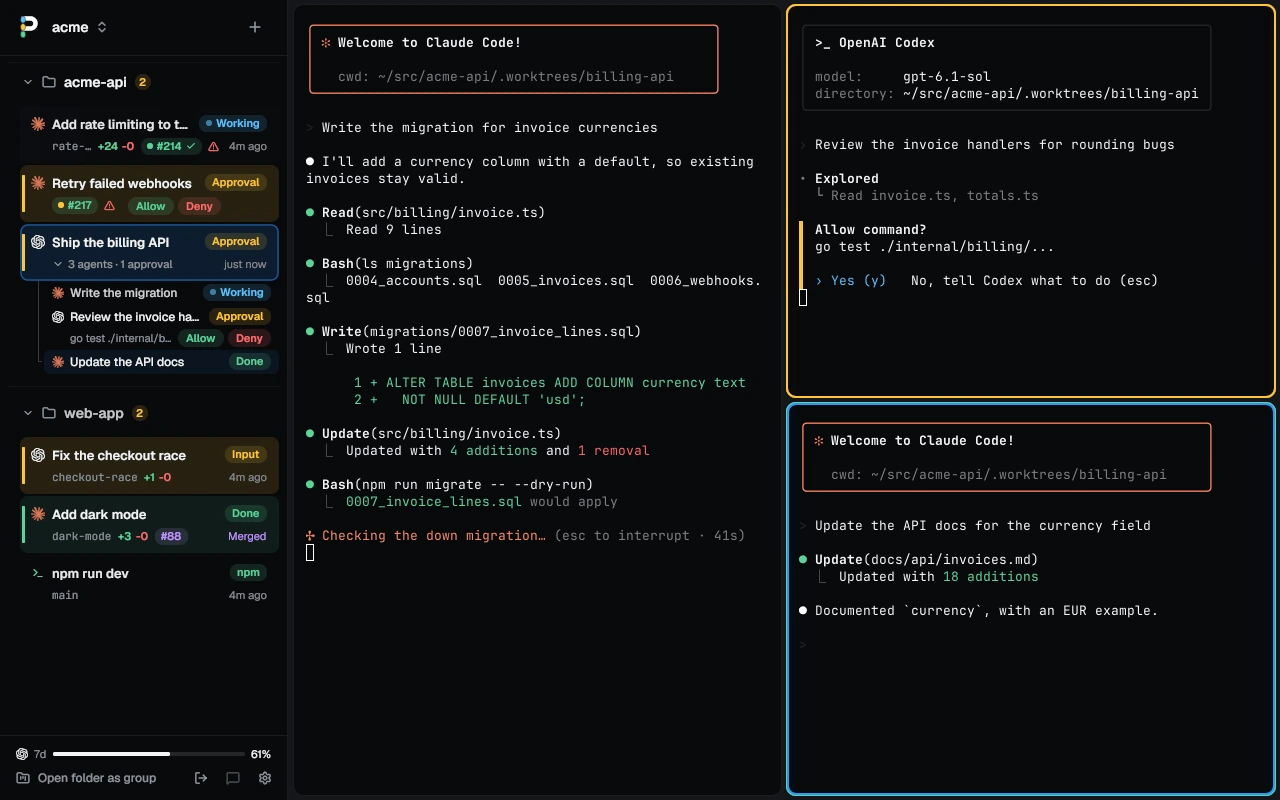
See every agent at a glance
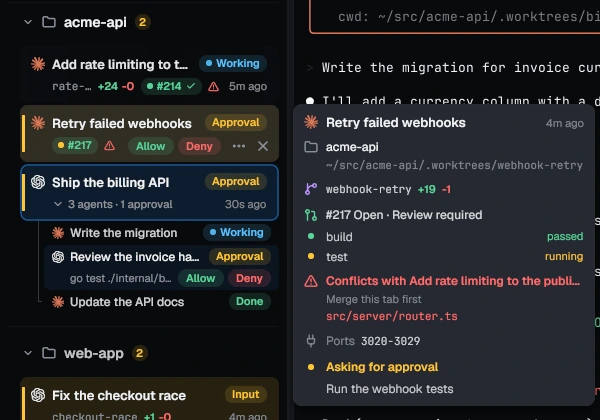
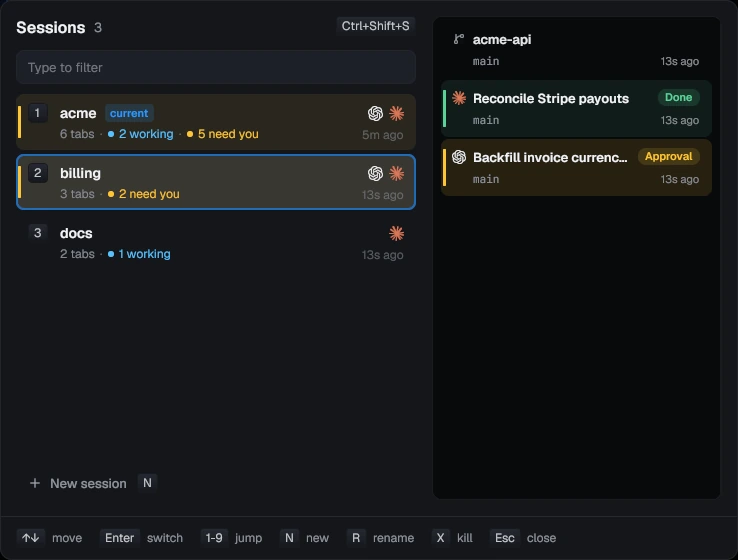
Every tab's row says what its agent is doing: Working, Input, Approval, Plan, Done or Error. A tab with three agents in split panes lists each on its own line.
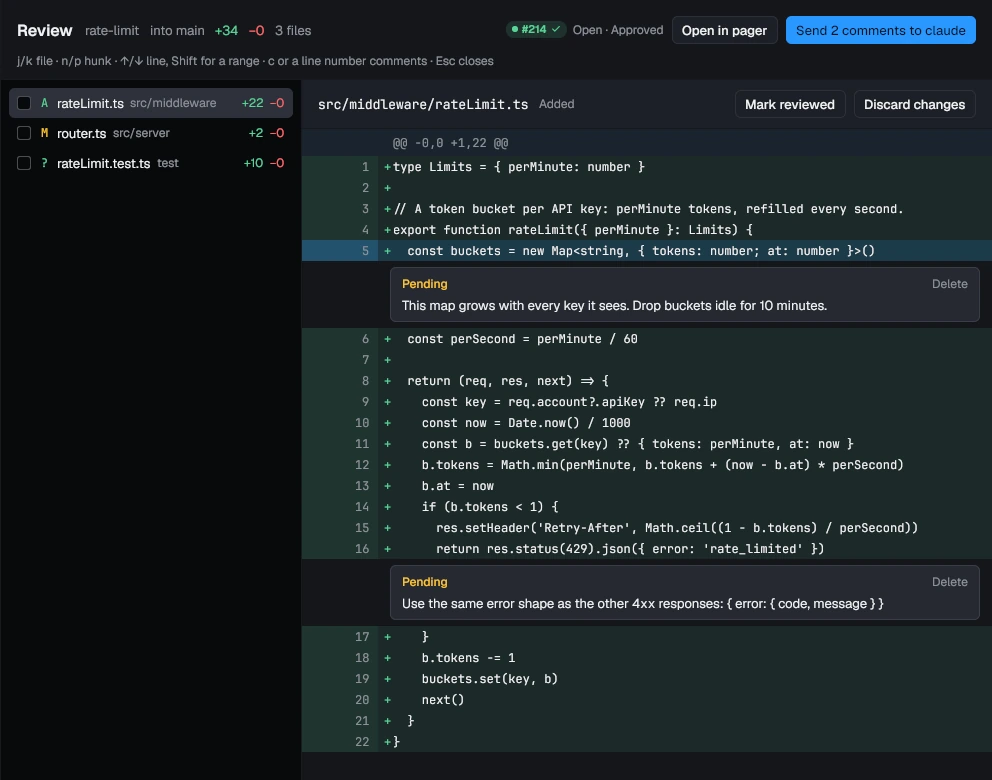
The row also shows the branch, the lines changed, and the pull request with its CI and review. Merge it from the tab's menu; once merged, Archive closes the tab and removes its worktree and branch.
Get to the one that needs you
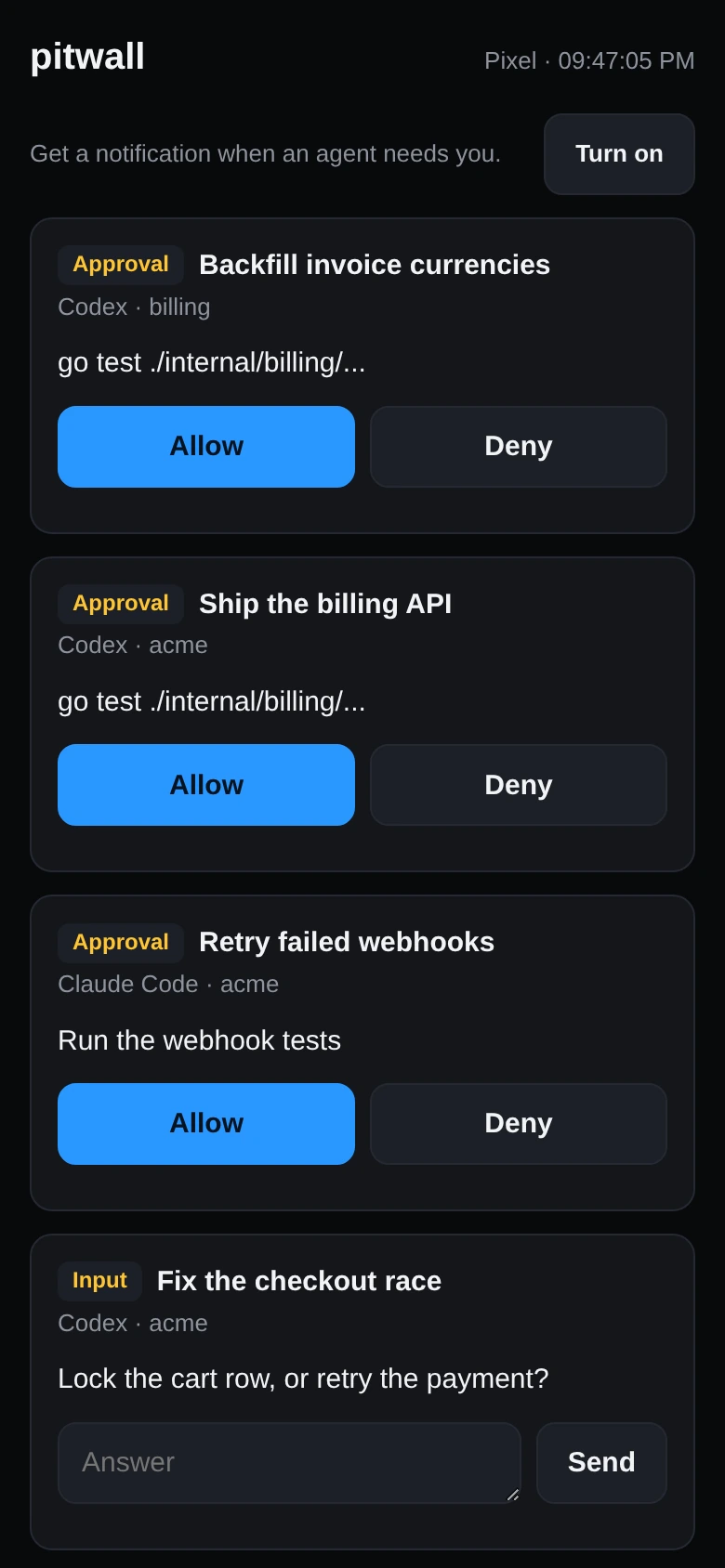
Ctrl+Shift+U jumps to the agent that started waiting most recently, in any session. Its pane gets a ring in the state's color and you get a desktop notification. Press the key again for the next one.
Any command can ask too: npm test && pitwall notify "tests passed".